How Note Deal Analyzer Works

Coupon rate is not yield. LTV is not the whole story. Note Deal Analyzer shows you what the numbers actually say — before you wire the money.

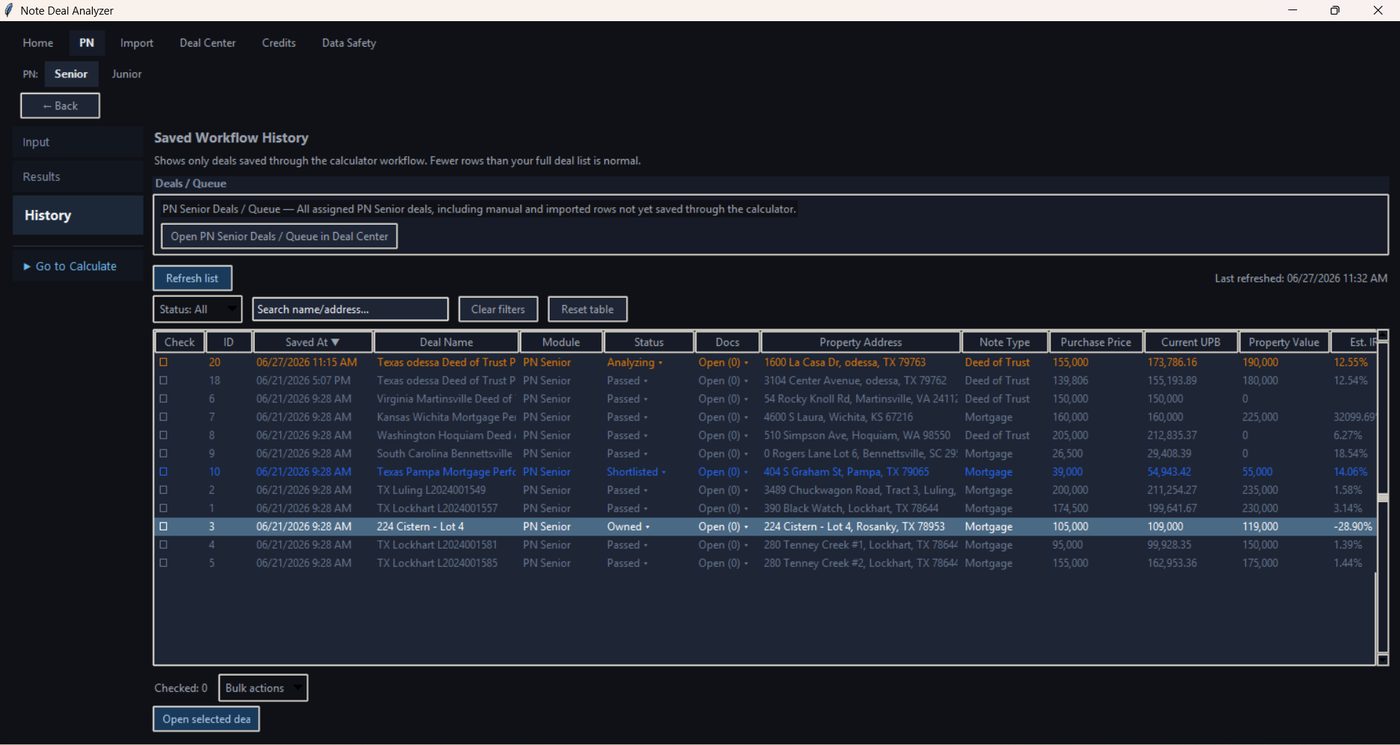
Earlier Note Deal Analyzer interface

This video shows the earlier desktop interface. The current product runs in the browser and follows the web workflow described on this page.

Real IRR, not coupon rate

See your actual return at purchase price — cashflow, UPB discount, exit scenarios — not the number the seller wants you to see.

Senior & Junior in one workflow

PN Senior and PN Junior analyzed separately with their own risk logic, combined lien view, and side-by-side scorecard.

100+ deals from one import

Import a Paperstac or JKP seller list, filter candidates, move selected deals into analysis. No copy-paste, no row 12 bottleneck.

Clean PDF before every offer

Export a structured report with yield, risk, and exit scenarios. Know your number — and document it — before you make the call.

Live deal comparison

Deal A — TX PN Senior 1st Strong
16.1%
Est. IRR
6.4%
LTV
$587
Net / mo

Deal B — FL PN Senior 1st Fair
7.2%
Est. IRR
28%
LTV
$312
Net / mo

Deal B has lower LTV — but IRR is less than half. The seller's "14% note" returns 7.2% at their asking price. Note Deal Analyzer shows this in seconds.

Four modules.
One complete pre-purchase workflow.

Built for real estate note buyers reviewing performing mortgage notes before purchase. Every module maps directly to how PN Senior and PN Junior deals are sourced, analyzed, compared, and documented.

01

PN Senior Mortgage Note Analysis

First-lien performing note analysis: cashflow, yield, IRR, UPB discount, LTV, charts, schedule, seasoning, risk, exit scenarios, and PDF or Schedule CSV export. Calculated Deals keeps the saved result.

Available now
02

PN Junior / Second-Lien Note Analysis

Second-lien note analysis with Preliminary and Full workflows. Senior lien context, combined leverage, junior collateral protection, cashflow, IRR, risk, exit scenarios, and PDF or Schedule CSV export.

Available now
03

Deal Flow & Import

Import Paperstac and JKP seller lists, review the rows, and move selected deals into Deal Center. Attach documents to a deal and open it in PN Senior or PN Junior.

Available now
04

Compare & Reports

Compare calculated deals side by side, review yield and risk, and export a PDF or CSV. A single deal can also export its schedule as CSV.

Available now

NPN analysis, Portfolio management, and Court/legal workflow tracking are planned for a future version and are not included in the current product.

1. Register or log in

Register or Log in, then open the web app. A new account includes one deal analysis before you buy a credit pack.

2. Enter a deal or import a list

Start a PN Senior or PN Junior deal in Input, or import a Paperstac or JKP file and open the deal from Deal Center.

3. Import workflow

  1. Click Import.
  2. Choose Paperstac or JKP where visible.
  3. Load the source file.
  4. Review the preview table and select rows.
  5. Click Import selected to All Registry.
  6. Go to Deal Center.
Import workflow
Import workflow — load, preview, select, and import rows.

Import does not use credits. Imported deals still need PN review and Calculate before results exist.

4. Deal Center workflow

  1. Open Deal Center.
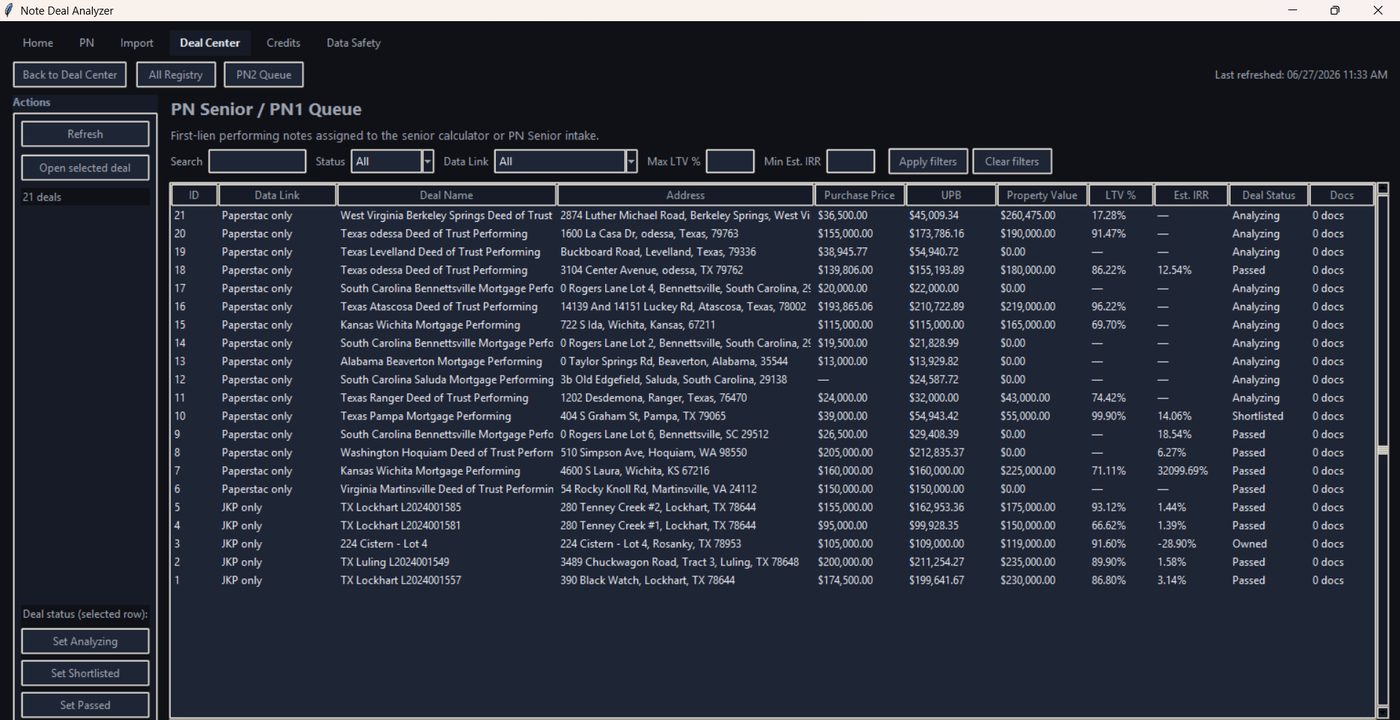
  2. Choose All Registry, PN1 Queue, or PN2 Queue.
  3. Click Refresh if needed.
  4. Select a row.
  5. Click Open selected deal.
  6. Continue in PN Input or Results.
Deal Center
Deal Center — find imported, saved, and analyzed deals.

5. Deal analysis / PN workflow

Before pressing Calculate, confirm that credits are available, the correct deal is open, required fields are reviewed, and assumptions are checked.
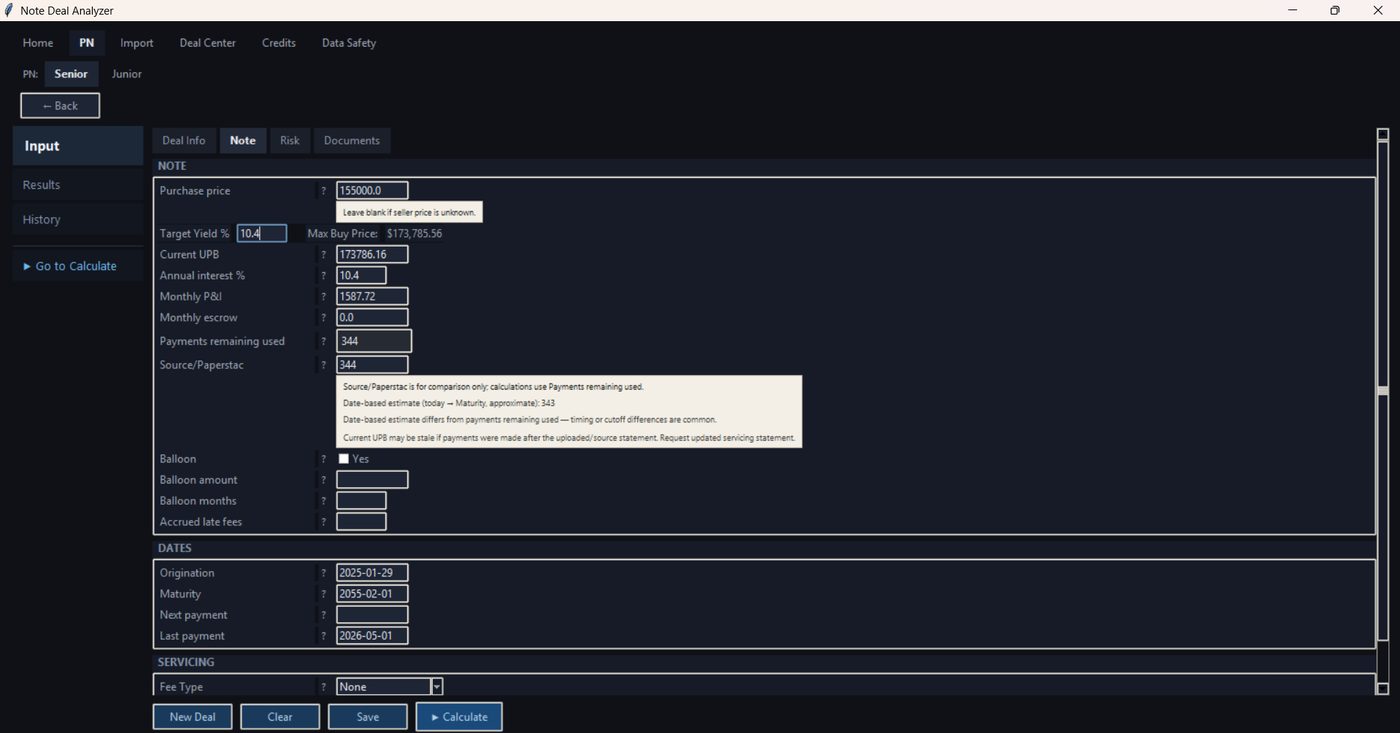
PN input screen
PN Input — review deal fields and assumptions before Calculate.
  1. Open the deal in PN Input.
  2. Review and complete required fields.
  3. Click Calculate.
  4. If validation fails, correct the issue and try again.
  5. If calculation succeeds, Results opens and 1 credit is used.

6. Results, Save Deal, and PDF Export

After Calculate, review Results: summary, charts, schedule, payment analysis, exit scenario, seasoning, and risk, plus any warnings. Save Deal stores the analysis without using another credit. PDF export and Schedule CSV also do not use a credit. Calculated Deals and Compare use the saved results.
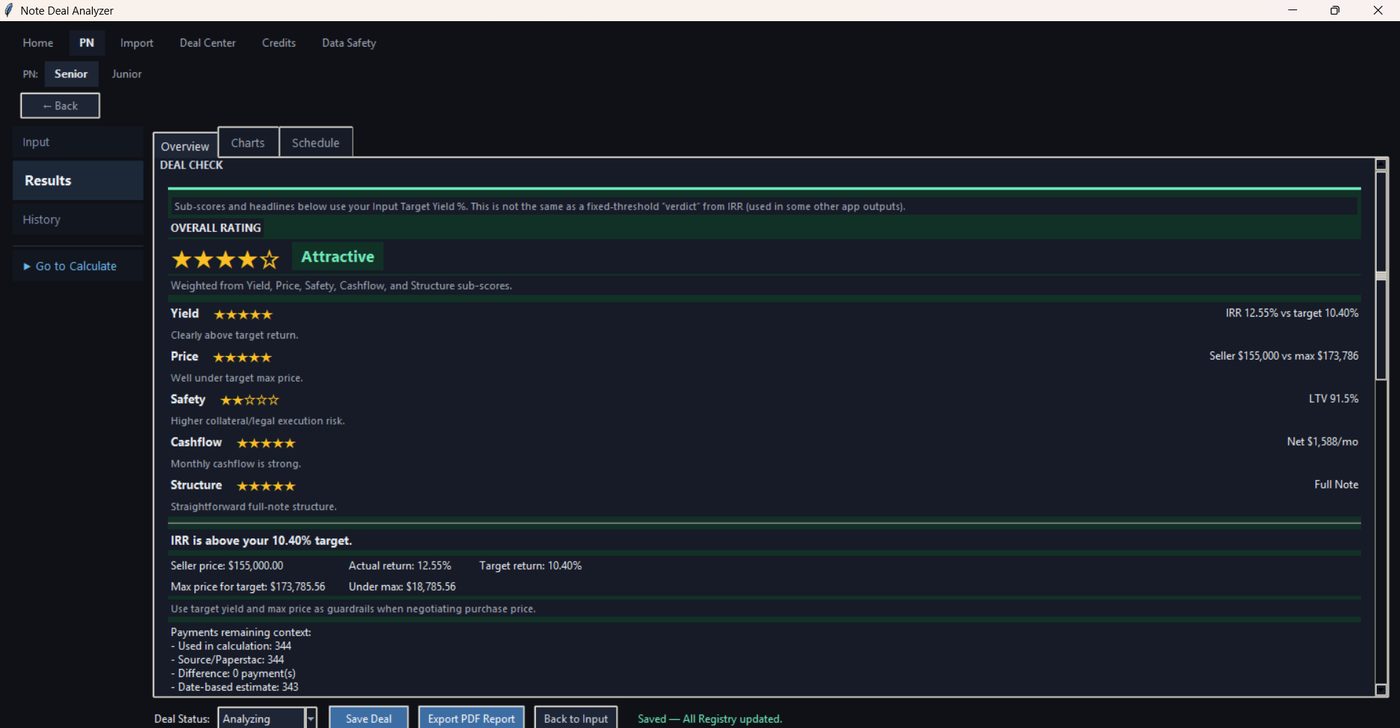
Results screen
Results — review the calculated deal, then save it or export a PDF. The current web results also include charts, schedule, payment analysis, exit scenario, seasoning, and risk.